
NATIVE_HOST_APP.EXE - Dangerous
NATIVE_HOST_APP.EXE
Manual removal instructions:
- Displaying popup ads.
- Hijacking your browser.
- Infecting your desktop shortcuts, etc.
- Inserting ads to the web pages.
How NATIVE_HOST_APP.EXE got on your computer?
Usually you got NATIVE_HOST_APP.EXE with as part of a bundle with another tool you downloaded from the Internet. Since NATIVE_HOST_APP.EXE manufacturer pays software developers for distributing NATIVE_HOST_APP.EXE within their applications, NATIVE_HOST_APP.EXE is often included as part of the installer. Usually, you have not only one NATIVE_HOST_APP.EXE problem, but a bunch of similar WIN32:PUPs.Technical Information:
- Full path on a computer= %LOCAL APPDATA%\\MAIL.RU\\GOCHROMIUMNATIVEHOST\\NATIVE_HOST_APP.EXE
- VirusTotal Testing Results= 4/68
- MD5= 2FD24B550E262EF2B91162F4728729D2
- File Description= Mail.Ru Chromium Host App
- File Internal Name= chromium_host_app
- Company Name= Mail.Ru
- File Version= 3.13.0.16
- Legal Copyright= Copyright 2015
You have 2 ways to remove NATIVE_HOST_APP.EXE:

 1. Remove Automatically.
 2. Remove Manually.
Why I recommend you to use an automatic way?
- You know only one virus name: "NATIVE_HOST_APP.EXE", but usually you have infected by a bunch of viruses. The UnHackMe program detects this threat and all others.
- UnHackMe is quite fast! You need only 5 minutes to check your PC.
- UnHackMe uses the special features to remove hard in removal viruses. If you remove a virus manually, it can prevent deleting using a self-protecting module. If you even delete the virus, it may recreate himself by a stealthy module.
- UnHackMe is small and compatible with any antivirus.
- UnHackMe is fully free for 30-days!
Here’s how to remove NATIVE_HOST_APP.EXE virus automatically:
STEP 1: Install UnHackMe (1 minute)
STEP 2: Scan for malware using UnHackMe (1 minute)
STEP 3: Remove NATIVE_HOST_APP.EXE virus (3 minutes)
So it was much easier to fix such problem automatically, wasn't it? That is why I strongly advise you to use UnHackMe for remove NATIVE_HOST_APP.EXE redirect or other unwanted software.
How to remove NATIVE_HOST_APP.EXE manually:
STEP 1: Check all shortcuts of your browsers on your desktop, taskbar and in the Start menu. Right click on your shortcut and change it's properties.
In addition, check this command line for fake browser's trick.
For example, if a shortcut points to Google Chrome, it must have the path:
C:\Program Files (x86)\Google\Chrome\Application\chrome.exe.
Fake browser may be: ...\Appdata\Roaming\HPReyos\ReyosStarter3.exe.
Also the file name may be: "chromium.exe" instead of chrome.exe.
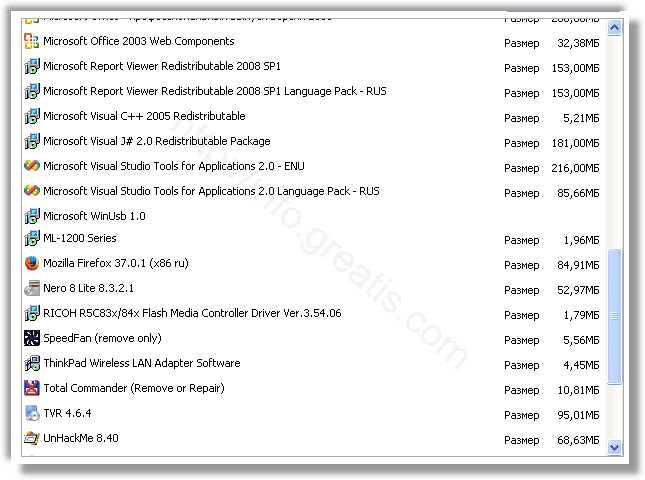
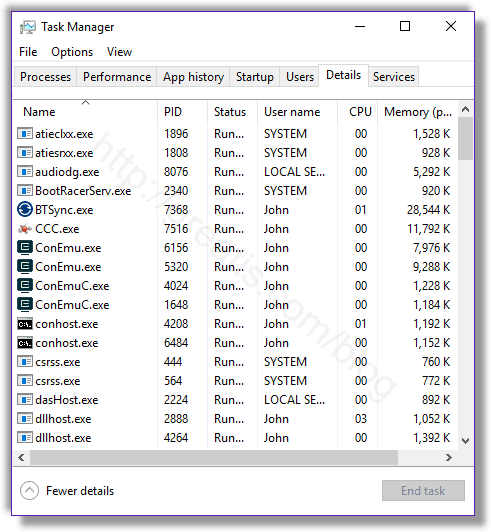 Remove NATIVE_HOST_APP.EXE virus from running processes[/caption]
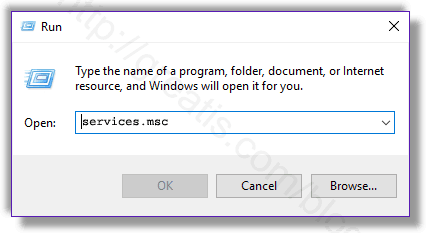 Remove NATIVE_HOST_APP.EXE virus from Windows services[/caption]
Disable the services with random names or contains NATIVE_HOST_APP.EXE in it's name or description.
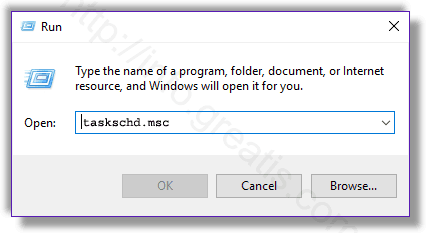
Delete any task related to NATIVE_HOST_APP.EXE. Disable unknown tasks with random names.
Press Win+R, type in: regedit.exe and press OK.
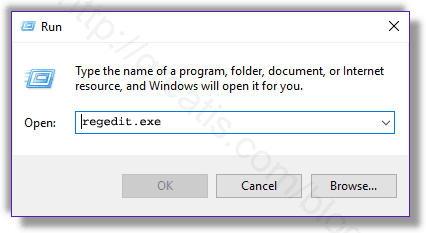 Remove NATIVE_HOST_APP.EXE virus from Windows registry[/caption]
Find and delete all keys/values contains NATIVE_HOST_APP.EXE.
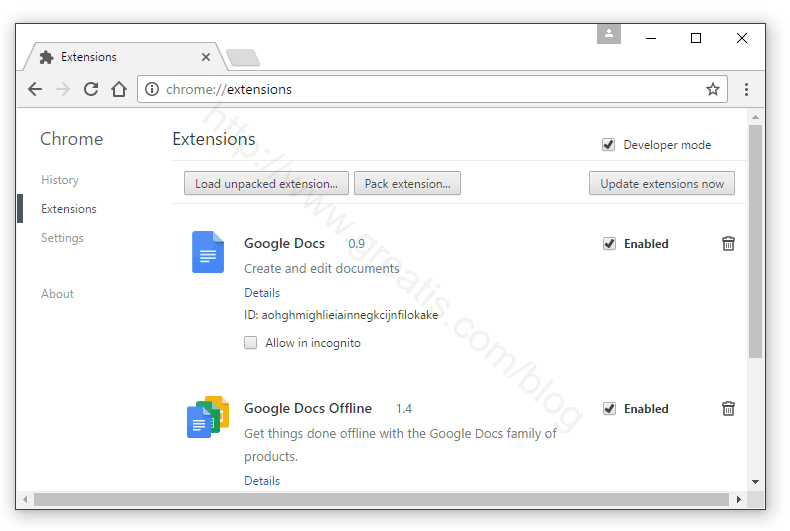
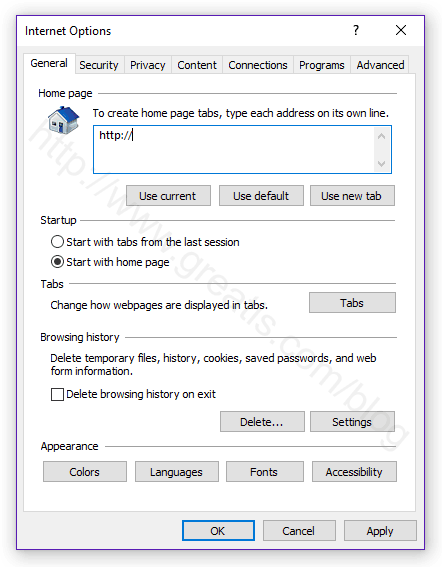 Set Internet Explorer Homepage[/caption]
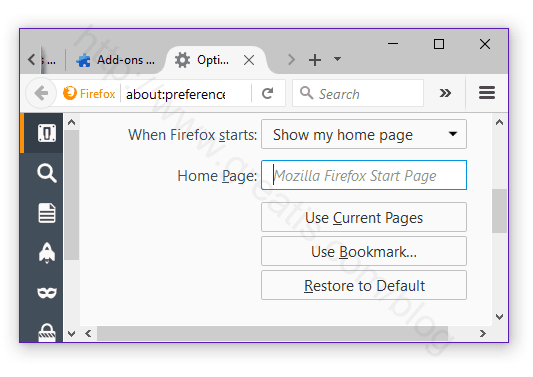 Change Firefox Home Page[/caption]
But if you miss any of these steps and only one part of virus remains - it will come back again immediately or after reboot.

STEP 1: Download UnHackMe for free
UnHackMe removes Adware/Spyware/Unwanted Programs/Browser Hijackers/Search Redirectors from your PC easily.

UnHackMe is compatible with most antivirus software.
UnHackMe is 100% CLEAN, which means it does not contain any form of malware, including adware, spyware, viruses, trojans and backdoors. VirusTotal (0/56).
System Requirements: Windows 2000-Windows 8.1/10 32 or 64-bit. UnHackMe uses minimum of computer resources.
STEP 2: Double click on UnHackMe_setup.exe
You will see a confirmation screen with verified publisher: Greatis Software.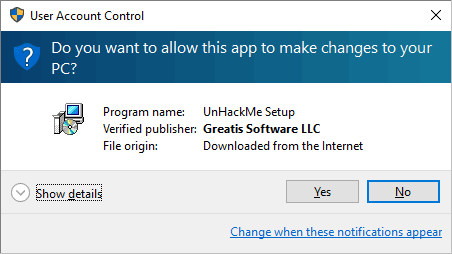
Once UnHackMe has installed the first Scan will start automatically
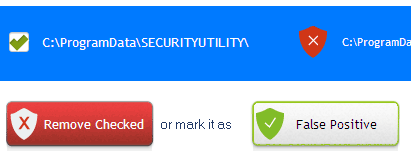
STEP 3: Carefully review the detected threats!
Click Remove button or False Positive.Enjoy!
Reviewed by:
by
NightWatcher
My PC had gotten a bad rootkit that my ISP antivirus software (powered by McAfee) could not detect, nor could fix.
I sought a solution on the Internet and discovered your product and tried out the trial of UnHackMe.
You quickly found the rootkit and SAVED my PC!
I haven't had any problems since, and I'm extremely grateful.